
How to build software with a multi-agent team in ChatDev
A team of AI agents builds one small program together: one plans it, one writes the code, one reviews it, one tests it.
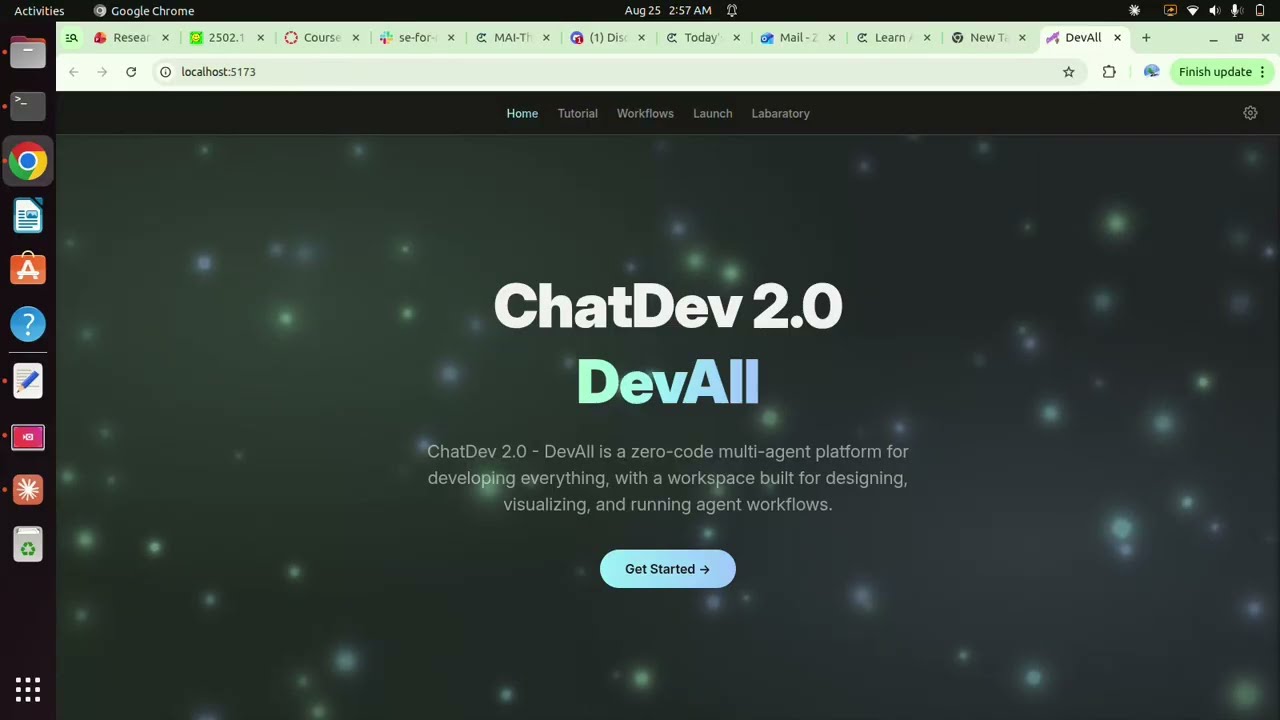
Hosted on our YouTube channel Watch on YouTube ↗
Create a small command-line Python quiz game for an introductory programming class.

Requirements:
- Use only the Python standard library.
- Include exactly five multiple-choice questions about variables, loops, functions, lists, and dictionaries.
- Show one question at a time, validate the user's choice, give immediate feedback, and show a final score out of five.
- Keep question data separate from the game logic.
- Include automated tests for scoring and invalid input behavior.
- Include a README with run and test commands.
- Keep the interface text-only; do not create images or a web application.
Run it: bash run.sh
#!/usr/bin/env bash
set -euo pipefail

CHATDEV_REPO="https://github.com/OpenBMB/ChatDev.git"
CHATDEV_COMMIT="4fb2db0ea90375ce1059f44fe03ffbd191a7a169"
SCRIPT_DIR="$(cd -- "$(dirname -- "${BASH_SOURCE[0]}")" && pwd)"
RUNTIME_ROOT="$SCRIPT_DIR/.runtime"
APP_DIR="$RUNTIME_ROOT/ChatDev"
ENV_FILE="$SCRIPT_DIR/.env"

fail() { printf '\nERROR: %s\n' "$*" >&2; exit 1; }

command -v docker >/dev/null 2>&1 || fail "Docker is not installed."
docker compose version >/dev/null 2>&1 || fail "The Docker Compose plugin is required ('docker compose', not the old 'docker-compose')."
docker info >/dev/null 2>&1 || fail "Docker is unavailable. Start it or fix Docker group permissions."

compose() { docker compose -f "$APP_DIR/compose.yml" --project-directory "$APP_DIR" "$@"; }

case "${1:-start}" in
  stop)
    [ -f "$APP_DIR/compose.yml" ] && compose down || echo "ChatDev has not been set up yet."
    exit 0 ;;
  status)
    [ -f "$APP_DIR/compose.yml" ] && compose ps || echo "ChatDev has not been set up yet."
    exit 0 ;;
  logs)
    [ -f "$APP_DIR/compose.yml" ] || fail "Run ./run.sh first."
    shift || true
    compose logs -f --tail 100 "$@"
    exit 0 ;;
  start|rebuild) ;;
  *) fail "Usage: ./run.sh [start|stop|status|logs [backend|frontend]|rebuild]" ;;
esac

command -v git >/dev/null 2>&1 || fail "Git is required."
[ -f "$ENV_FILE" ] || fail ".env is missing. Run: cp .env.example .env  Then edit API_KEY."
if grep -Eq '^(API_KEY=replace-|API_KEY=sk-your-|API_KEY=$)' "$ENV_FILE"; then
  fail "Replace the placeholder API_KEY in .env before starting."
fi

mkdir -p "$RUNTIME_ROOT"
if [ ! -d "$APP_DIR/.git" ]; then
  echo "==> Cloning the official ChatDev repository..."
  git clone "$CHATDEV_REPO" "$APP_DIR"
fi

echo "==> Checking out pinned ChatDev revision $CHATDEV_COMMIT"
git -C "$APP_DIR" fetch --depth 1 origin "$CHATDEV_COMMIT"
git -C "$APP_DIR" checkout --detach "$CHATDEV_COMMIT"
cp "$ENV_FILE" "$APP_DIR/.env"

if [ "${1:-start}" = "rebuild" ]; then
  echo "==> Rebuilding and starting ChatDev..."
  compose up -d --build
else
  echo "==> Starting ChatDev (the first build can take 10-20 minutes)..."
  compose up -d --build
fi

probe() {
  if command -v curl >/dev/null 2>&1; then curl -fsS http://localhost:5173 >/dev/null 2>&1
  elif command -v wget >/dev/null 2>&1; then wget -qO- http://localhost:5173 >/dev/null 2>&1
  else return 2
  fi
}

printf '==> Waiting for the ChatDev web console '
ready=0
for _ in $(seq 1 150); do
  set +e; probe; rc=$?; set -e
  if [ "$rc" -eq 0 ]; then ready=1; break; fi
  if [ "$rc" -eq 2 ]; then sleep 15; ready=1; break; fi
  printf '.'; sleep 2
done
printf '\n'

if [ "$ready" -ne 1 ]; then
  compose ps >&2 || true
  compose logs --tail 80 >&2 || true
  fail "ChatDev did not answer within five minutes after build. Run: ./run.sh logs"
fi

echo "==> ChatDev is ready: http://localhost:5173"
echo "==> Backend API:       http://localhost:6400"
command -v xdg-open >/dev/null 2>&1 && xdg-open http://localhost:5173 >/dev/null 2>&1 || true
printf '\nOpen Workflow -> ChatDev_v1, then Launch -> ChatDev_v1.\nStop: ./run.sh stop    Logs: ./run.sh logs\n'
# Demo 2 — ChatDev 2.0 Multi-Agent System
ChatDev 2.0 (also called **DevAll**) is a visual, zero-code platform for configuring and running multi-agent workflows. Unlike the single general coding-agent experience in the Agent Canvas demo, ChatDev makes the team structure explicit: specialized agents are nodes, messages travel over edges, and loops represent review and revision.
The original 2023 ChatDev “virtual software company” is preserved as the `ChatDev_v1` workflow inside ChatDev 2.0. This demo uses that workflow because it clearly shows roles such as CEO, CTO, programmer, reviewer, and tester while using the current ChatDev interface.
## What this demo teaches
- A multi-agent system (MAS) divides a task among specialized roles.
- A workflow graph determines which agent receives which context and in what order.
- Review and test loops provide feedback, but do not guarantee correctness.
- More agents mean more model calls, latency, cost, and coordination overhead.
- Human inspection of messages, generated artifacts, and execution evidence is still required.
## Architecture to explain
```text
User task
↓
CEO / product role → CTO / design role → Programmer
↓
Reviewer ↔ revision loop
↓
Tester ↔ repair loop
↓
Generated artifact
```
The actual `ChatDev_v1` canvas has more nodes and edges. This simplified view communicates the main idea: agents are not merely chatting in a group; an orchestration graph controls their collaboration.
## Prerequisites
- Linux with Git, Docker, and the Docker Compose plugin.
- Docker running and usable without `sudo`.
- About 10 GB free disk space and 6 GB free RAM recommended for the first build.
- An OpenAI API key or an OpenAI-compatible provider endpoint/key.
- Internet access for the initial clone, image build, dependencies, and model calls.
Check the tools:
```bash
git --version
docker --version
docker compose version
docker info
```
## Configure the model
Create the private configuration file:
```bash
cp .env.example .env
nano .env
```
Set these values:
```dotenv
BASE_URL=https://api.openai.com/v1
API_KEY=replace-with-your-real-key
```
The built-in `ChatDev_v1` workflow is configured for OpenAI-style model calls and currently names `gpt-4o` in its agent nodes. If using another compatible gateway, confirm that the gateway serves that model name or edit the model fields in the visual workflow before launch.
Never commit, screen-record, or paste `.env` into chat. The launcher copies it into the ignored runtime checkout.
## Start
```bash
chmod +x run.sh
./run.sh
```
The first start clones a pinned, verified ChatDev revision and builds two containers, so it can take 10–20 minutes. Later starts are much faster. Open <http://localhost:5173> when ready.
The pinned revision is:
```text
4fb2db0ea90375ce1059f44fe03ffbd191a7a169
```
This was the current ChatDev main revision checked while preparing the tutorial on August 23, 2026. Pinning prevents a class from receiving different source code on different days.
## Run the MAS demo
1. Open the **Workflow** tab.
2. Select or open `ChatDev_v1`.
3. Zoom out so students can see the roles, directed edges, and loop nodes.
4. Open two or three agent nodes and point out their distinct role prompts.
5. Open the **Launch** tab.
6. Select `ChatDev_v1`.
7. Paste the task from [DEMO-PROMPT.md](DEMO-PROMPT.md) and launch it.
8. Watch the live messages and identify handoffs from planning to implementation, review, and testing.
9. Inspect the final message and generated files/artifacts in the launch view.
ChatDev workflows can make many LLM requests. Use a funded key with a spending limit, and rehearse once to estimate cost. The exact messages and result vary from run to run.
## Useful commands
| Action | Command |
|---|---|
| First setup / start | `./run.sh` |
| Stop | `./run.sh stop` |
| Status | `./run.sh status` |
| Follow all logs | `./run.sh logs` |
| Show backend logs | `./run.sh logs backend` |
| Show frontend logs | `./run.sh logs frontend` |
| Rebuild after an intentional change | `./run.sh rebuild` |
The source checkout and generated artifacts live under `.runtime/ChatDev/`. This directory and `.env` are ignored because they can contain generated content and secrets.
## Troubleshooting
| Symptom | Fix |
|---|---|
| `.env is missing` | Run `cp .env.example .env`, edit it, and retry. |
| Docker permission denied | `sudo usermod -aG docker $USER`, then log out/in. |
| Compose is unavailable | Install the Docker Compose plugin; verify with `docker compose version`. |
| First build looks stuck | Follow `./run.sh logs`; Python and Node dependency builds can take several minutes. |
| Port 5173 or 6400 busy | Stop the conflicting service. ChatDev's supplied Compose file publishes both ports. |
| UI cannot reach backend | Check `./run.sh status` and `./run.sh logs backend`; backend should answer on port 6400. |
| `401` / authentication error | Recheck `API_KEY`; do not add quotes or trailing spaces. |
| Model not found | The selected workflow names `gpt-4o`; use a provider/gateway that exposes it or edit every relevant agent node's model. |
| Workflow becomes expensive or slow | Stop the launch, use the short prompt supplied here, and avoid full game-generation prompts during class. |
| Containers use an old key | Stop and rerun `./run.sh`; the launcher recopies `.env` before start. |
## Safety, cost, and cleanup
- ChatDev-generated code may be incomplete or unsafe. Inspect it before execution.
- Treat agent outputs and downloaded content as untrusted.
- Use provider budgets/rate limits; a multi-agent graph can multiply calls.
- Do not expose ports 5173 or 6400 to an untrusted network.
- `./run.sh stop` preserves the checkout and outputs.
The launcher intentionally does not delete `.runtime/`. If you later choose to remove it, inspect it first because it may contain the generated artifact used in your video.
## Sources checked for this tutorial
- [ChatDev official repository and current 2.0 quick start](https://github.com/OpenBMB/ChatDev)
- [ChatDev paper](https://arxiv.org/abs/2307.07924)
- [Pinned source revision](https://github.com/OpenBMB/ChatDev/commit/4fb2db0ea90375ce1059f44fe03ffbd191a7a169)
Prepared for COM S 3710X / 3720X, August 2026.